
Adobe Premiere Pro Vs DaVinci Resolve Which One is the Best?
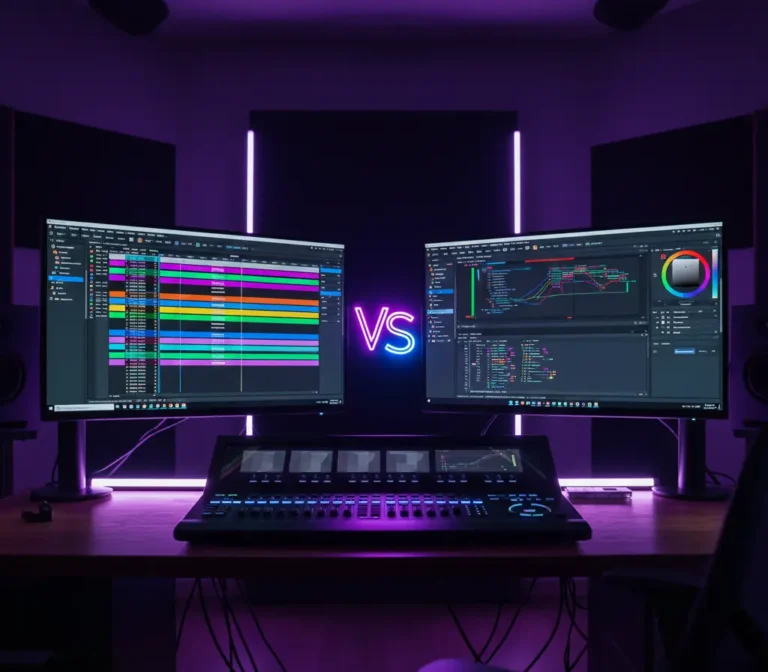
Choosing the correct video editing software can make a huge impact on how your finished product looks, feels, and performs. Adobe Premiere Pro versus DaVinci Resolve is one of the most hotly debated comparisons among creators today, whether you’re a YouTuber, entrepreneur, or digital marketing specialist. Both programs are sophisticated, feature-rich, and extensively used in the business, but they each have unique benefits in terms of editing process, color grading, audio control, performance, and pricing. So, which one is truly the best for your needs?
The ideal people to respond to this comparison are experts who deal with video content daily. The Leeway Media, the best video production company in Kerala, offers a wealth of hands-on knowledge in video editing, post-production, and digital marketing at the table. With a team of specialists who regularly employ industry-leading tools to develop powerful brand videos, ads, and digital campaigns, The Leeway Media knows not just the software but how it operates in real-world business and marketing scenarios. Their knowledge guarantees a well-informed, useful, and goal-oriented viewpoint while deciding between Adobe Premiere Pro and DaVinci Resolve.
Adobe Premiere Pro
Adobe created the professional timeline-based video editing program known as Adobe Premiere Pro. Video editors, filmmakers, content producers, and digital marketing firms use it extensively to edit everything from short social media videos to feature films and advertisements.
Video, audio, and graphics may all be imported, edited, and arranged in a single workflow with Premiere Pro. It supports a variety of video formats and has advanced capabilities for cutting, trimming, transitions, effects, color correction, and audio editing. One of its most notable features is its seamless interaction with other Adobe Creative Cloud apps such as After Effects, Photoshop, Illustrator, and Audition, making it perfect for advanced post-production tasks.
Known for its flexibility and superior performance, Adobe Premiere Pro is commonly employed in professional studios and by marketing teams to create high-quality, polished video content efficiently.
Benefits of Using Adobe Premiere Pro
Adobe Premiere Pro has numerous advantages that make it a popular choice among professional video editors, content creators, and digital marketing teams. Among the main advantages are:
- Professional-Grade Editing Tools: Premiere Pro provides powerful, timeline-based editing tools that allow precise cutting, trimming, and sequencing of videos, making it suitable for everything from short clips to full-length films.
- Seamless Adobe Creative Cloud Integration: It works smoothly with other Adobe apps like After Effects, Photoshop, Illustrator, and Audition, enabling efficient motion graphics, visual effects, image editing, and advanced audio production.
- Supports Multiple Formats: Adobe Premiere Pro supports a wide range of video, audio, and image formats, allowing editors to work with footage from different cameras and sources without conversion hassles.
- Advanced Color Correction & Effects: With tools like Lumetri Color, users can perform professional color grading, apply creative looks, and enhance visuals directly within the software.
- Efficient Workflow & Performance: Features such as proxy editing, GPU acceleration, and customizable workspaces help speed up editing and improve overall productivity, even with high-resolution footage.
- High-Quality Audio Editing: Premiere Pro includes robust audio tools for noise reduction, sound mixing, and syncing, ensuring clear and balanced sound in every project.
- Regular Updates & Cloud Access: As part of Adobe Creative Cloud, users benefit from frequent updates, new features, cloud storage, and access to Adobe Fonts and Adobe Stock.
- Industry Standard Software: Adobe Premiere Pro is widely used across the film, media, and digital marketing industries, making it a valuable skill and a trusted solution for professional video production.
These advantages make Adobe Premiere Pro a dependable and versatile video editing tool for creators looking to produce high-quality, powerful video content.
Drawbacks of Using Adobe Premiere Pro
Although Adobe Premiere Pro is a strong and widely used video editing tool, there are a few disadvantages that users should take into account before selecting it:
- Subscription-Based Pricing: Adobe Premiere Pro is available only through a monthly or annual subscription, which can be costly over time, especially for freelancers or beginners.
- High System Requirements: To run smoothly, Premiere Pro requires a powerful computer with good processing power, sufficient RAM, and a capable GPU. On lower-end systems, performance issues may occur.
- Steep Learning Curve for Beginners: Due to its wide range of professional features and tools, beginners may find the interface and workflow overwhelming at first.
- Occasional Performance & Stability Issues: Users may experience lag, crashes, or slow rendering, particularly when working with large files or complex projects, if the system is not well-optimized.
- Limited Built-In Visual Effects: Compared to some competitors, Premiere Pro has fewer built-in effects and relies heavily on After Effects or third-party plugins for advanced visual effects.
- Audio Tools Not as Advanced as Dedicated Software: Although it offers solid audio editing features, it may not match the depth and precision of dedicated audio tools like Adobe Audition.
- Not Ideal for Heavy Color Grading: While Lumetri Color is powerful, professionals focused heavily on advanced color grading may prefer specialized tools like DaVinci Resolve.
Understanding these limitations allows customers to determine whether Adobe Premiere Pro is appropriate for their workflow, budget, and editing requirements.
DaVinci Resolve
DaVinci Resolve is an advanced all-in-one video editing software created by Blackmagic Design, widely known for its outstanding color grading capabilities. It allows filmmakers, video editors, YouTubers, and production organizations to edit, color correct, mix audio, and add visual effects all in one tool.
Video editing, color grading, visual effects (Fusion), and audio post-production (Fairlight) are just a few of the post-production capabilities that DaVinci Resolve integrates into a smooth process. This sets it apart from many other editors that use different software for different tasks. It is perfect for professional film and commercial projects because it supports high-resolution formats like 4K, 8K, and RAW footage.
One of its most notable characteristics is the availability of a free version with robust functionality, as well as a premium DaVinci Resolve Studio edition that includes advanced tools and performance improvements. Because of its precision in color grading and superior output quality, DaVinci Resolve is utilized extensively in cinema, television, and high-end video production.
Benefits of Using DaVinci Resolve
DaVinci Resolve is well-regarded in the video production business due to its robust capabilities and professional-level performance. Among the main advantages are:
- Industry-Leading Color Grading: DaVinci Resolve is considered the gold standard for color correction and grading, offering advanced tools like color wheels, curves, nodes, and HDR grading for precise visual control.
- All-in-One Post-Production Software: It combines video editing, color grading, visual effects (Fusion), and audio post-production (Fairlight) in a single platform, reducing the need for multiple applications.
- Powerful Free Version: The free version of DaVinci Resolve includes an impressive range of professional tools, making it an excellent option for beginners and budget-conscious creators.
- High-Resolution & Professional Format Support: DaVinci Resolve supports 4K, 8K, and RAW formats, making it suitable for high-end film, TV, and commercial productions.
- Advanced Audio Editing with Fairlight: The built-in Fairlight audio suite offers professional audio mixing, noise reduction, and sound design tools comparable to dedicated audio software.
- Node-Based Workflow for Precision: The node-based color and effects workflow allows greater flexibility, control, and non-destructive editing compared to layer-based systems.
- Strong Performance & GPU Acceleration: DaVinci Resolve is optimized for modern GPUs, delivering smooth playback and faster rendering on capable systems.
- One-Time Purchase Option: The Studio version is available as a one-time payment, which can be more cost-effective in the long run compared to subscription-based software.
DaVinci Resolve is a strong option for artists who value color accuracy, cinematic quality, and an integrated post-production process because of these advantages.
Drawbacks of Using DaVinci Resolve
Although DaVinci Resolve is a robust, all-in-one video editing tool, users should be aware of its limitations:
- Steep Learning Curve: Its extensive features, especially for color grading and node-based workflows, can be overwhelming for beginners or casual editors.
- High System Requirements: Resolve demands a powerful computer with a strong CPU, GPU, and RAM. On lower-end systems, it may run slowly or crash with large projects.
- Complex Interface for Beginners: The interface is more complex compared to other editors, requiring time and effort to navigate effectively, especially for those new to professional editing.
- Limited Third-Party Plugin Support: While Resolve supports some plugins, it has fewer third-party effects and transitions compared to Adobe Premiere Pro.
- Occasional Stability Issues: Users may experience crashes or bugs, particularly when working with high-resolution footage or multiple heavy effects simultaneously.
- Less Integrated with Other Software: Unlike Premiere Pro, which integrates seamlessly with the Adobe Creative Cloud ecosystem, Resolve’s integration with external apps is more limited.
- Exporting Can Be Slower: Rendering and exporting very high-resolution projects may take longer, depending on hardware performance.
It is easier for creators to decide whether DaVinci Resolve fits their workflow, skill level, and production requirements when they are aware of these disadvantages.
Final Thoughts
The decision between Adobe Premiere Pro and DaVinci Resolve ultimately comes down to your particular requirements, workflow, and skill level. Premiere Pro is perfect for creators who value productivity and connectivity because of its flawless Adobe integration, flexible editing tools, and industry-standard processes. However, DaVinci Resolve excels due to its unparalleled color grading, all-in-one post-production features, and affordable solutions, particularly for cinematic projects.
The Leeway Media, the best video production company in Kerala, offers professional advice and practical knowledge with both tools to companies and people looking for professional guidance. With their in-depth knowledge of video production, digital marketing, and post-production workflows, The Leeway Media assists clients in determining the right software to create powerful, impactful videos customized to their goals. Whether you value creative flexibility, color precision, or workflow speed, working with specialists like The Leeway Media ensures that your video production is excellent.